Codex Dream Skin theme

Dream Skin Studio Demo Codex Dream Skin

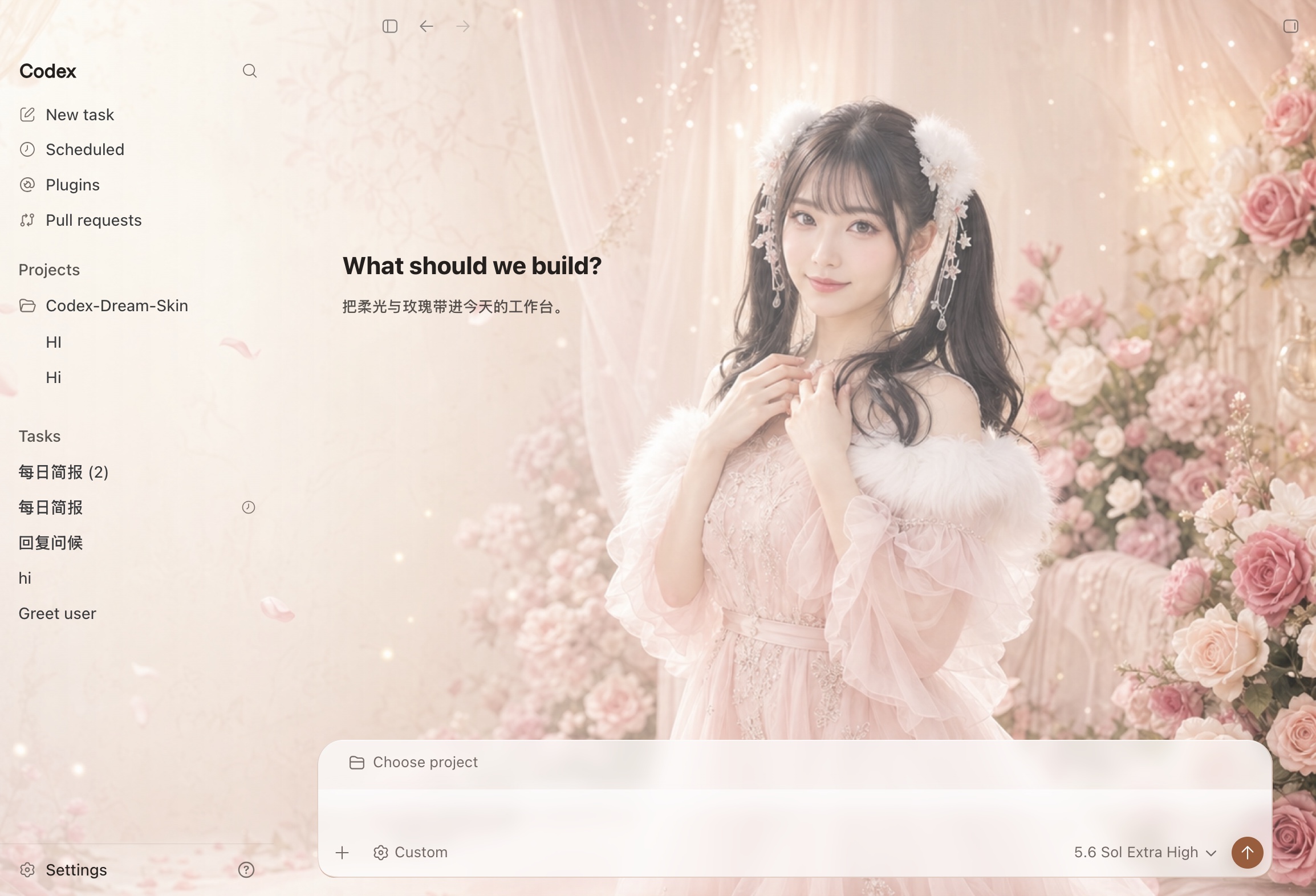
Dream Skin Studio Demo is a minimal, light Codex Dream Skin for Codex Desktop. Its #E25563 accent coordinates the wallpaper and interface layers while keeping code, Diff views, and the composer readable on macOS.

MinimalLight

Dream Skin Studio Demo Codex Dream Skin interface preview
Dream Skin Studio DemoMinimal · Light
The image above is the complete effect preview. The ZIP uses the original wallpaper asset, never the interface screenshot.

What makes Dream Skin Studio Demo different

Dream Skin Studio Demo is more than a standalone wallpaper. The download combines visual assets, validated theme data, and a fixed local runner so its background and interface colors can work together on a supported Codex Desktop version.

  • Minimal + Light visual direction
  • #E25563 accent palette
  • Fixed local runner
  • Restore Default included

How to install the Dream Skin Studio Demo Codex Dream Skin

01

Download the complete ZIP

Download Dream Skin Studio Demo and keep its hidden engine folder intact.

02

Install with Codex

Attach the ZIP to Codex and ask it to use the included install-codex-dream-skin skill for installation and live verification.

03

Restore anytime

Run Restore Default.command whenever you want the standard appearance back.

Dream Skin Studio Demo questions

Which platform supports Dream Skin Studio Demo?

The current package targets macOS and one tested Codex Desktop version.

Does the skin read my code or chats?

No. The fixed runner applies local visual styles and does not read or upload projects, chats, terminal output, credentials, or API keys.